
FM Manager Suite
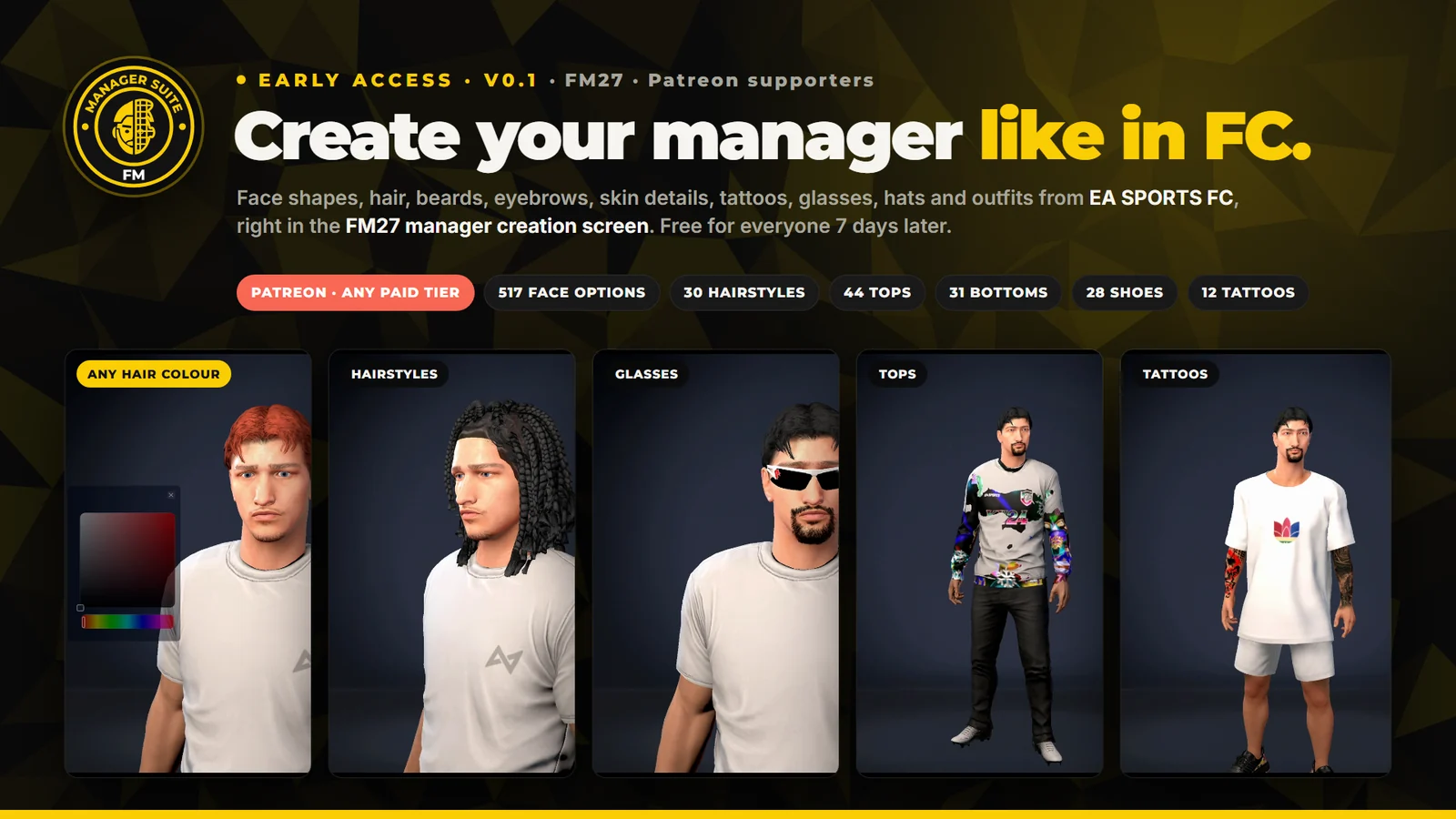
Create your manager like in EA SPORTS FC. Face shapes, hair, beards, eyebrows, skin details, outfits, glasses, hats and tattoos, right in the FM27 manager creation screen. No extra window: open Body, Head or Attire and pick.
Early access on Patreon
Version 0.1 is for Patreon supporters on any paid tier. The download is a zip attached to the release post on Patreon. 7 days after the Patreon post, it becomes free for everyone.
Needs BepInEx 6 · No automatic updates: a new version is a new download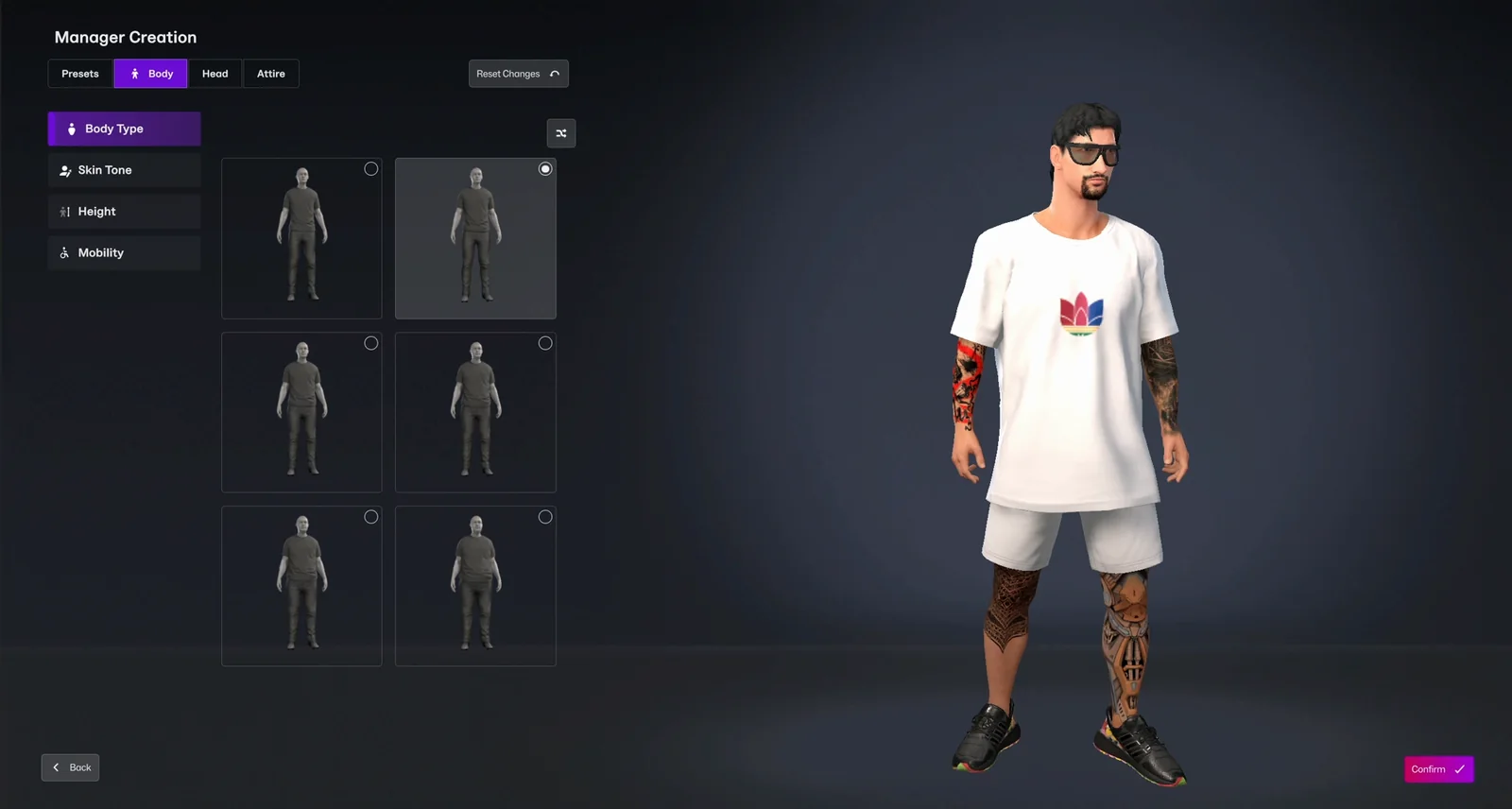
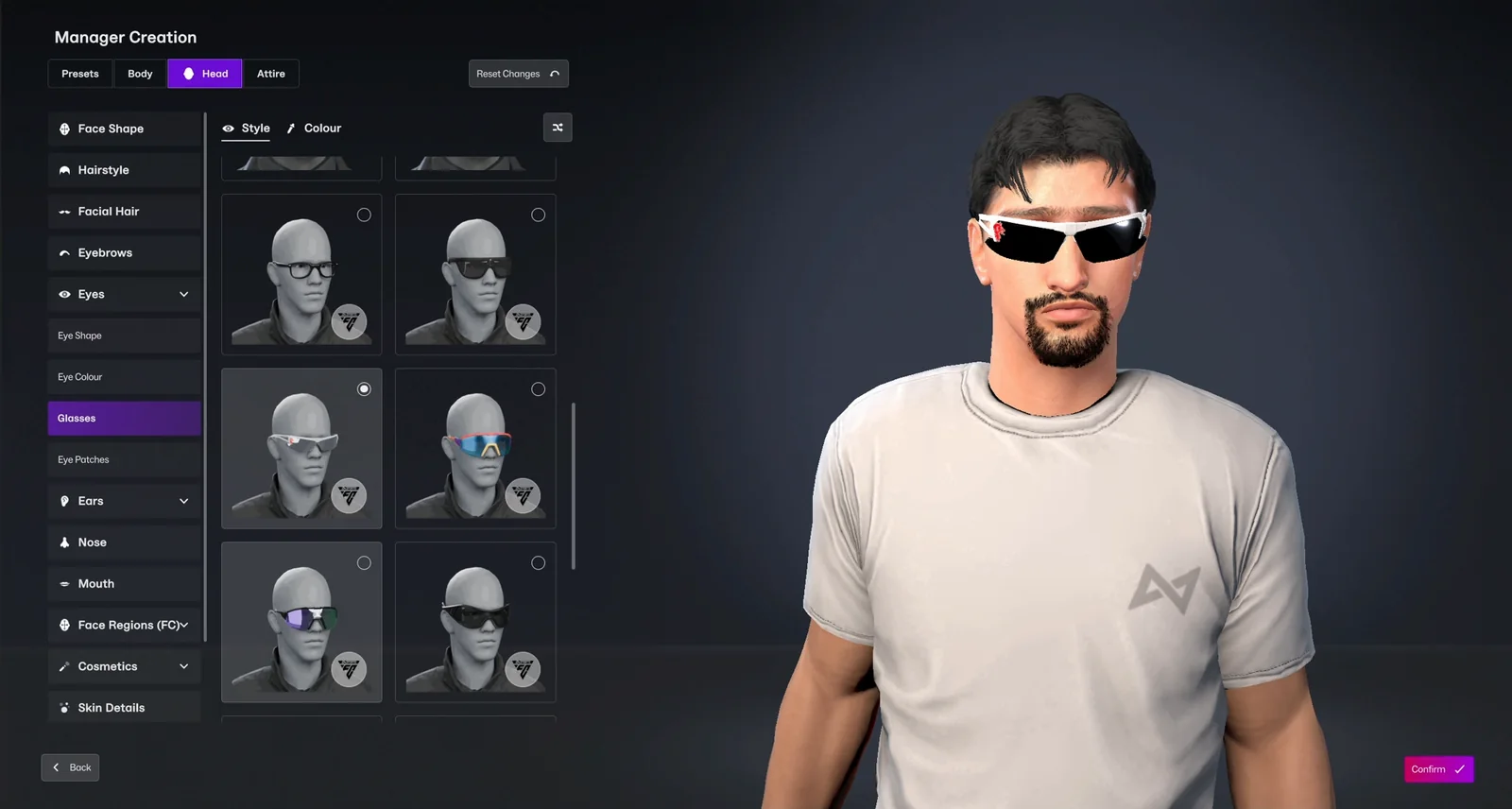
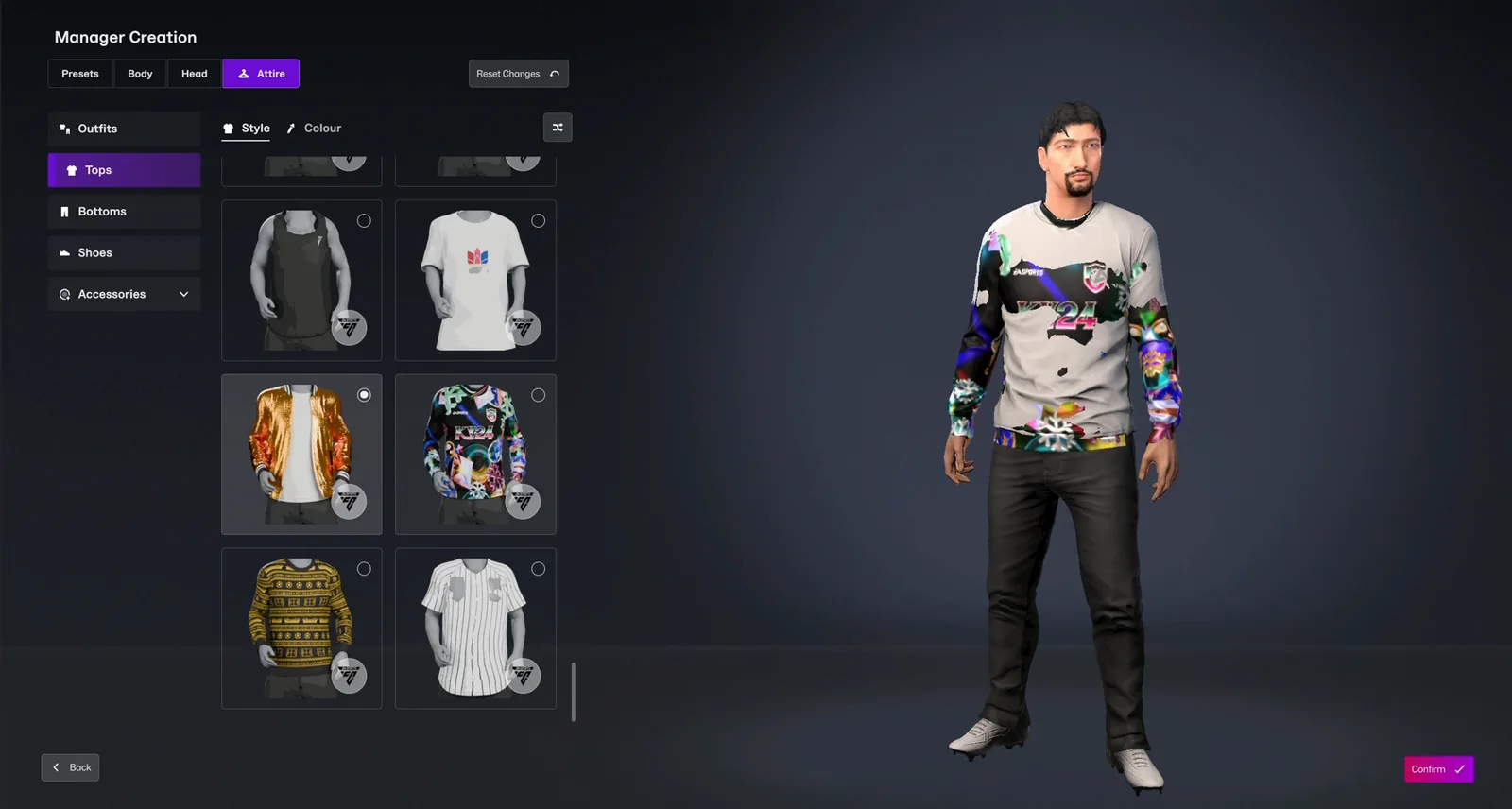
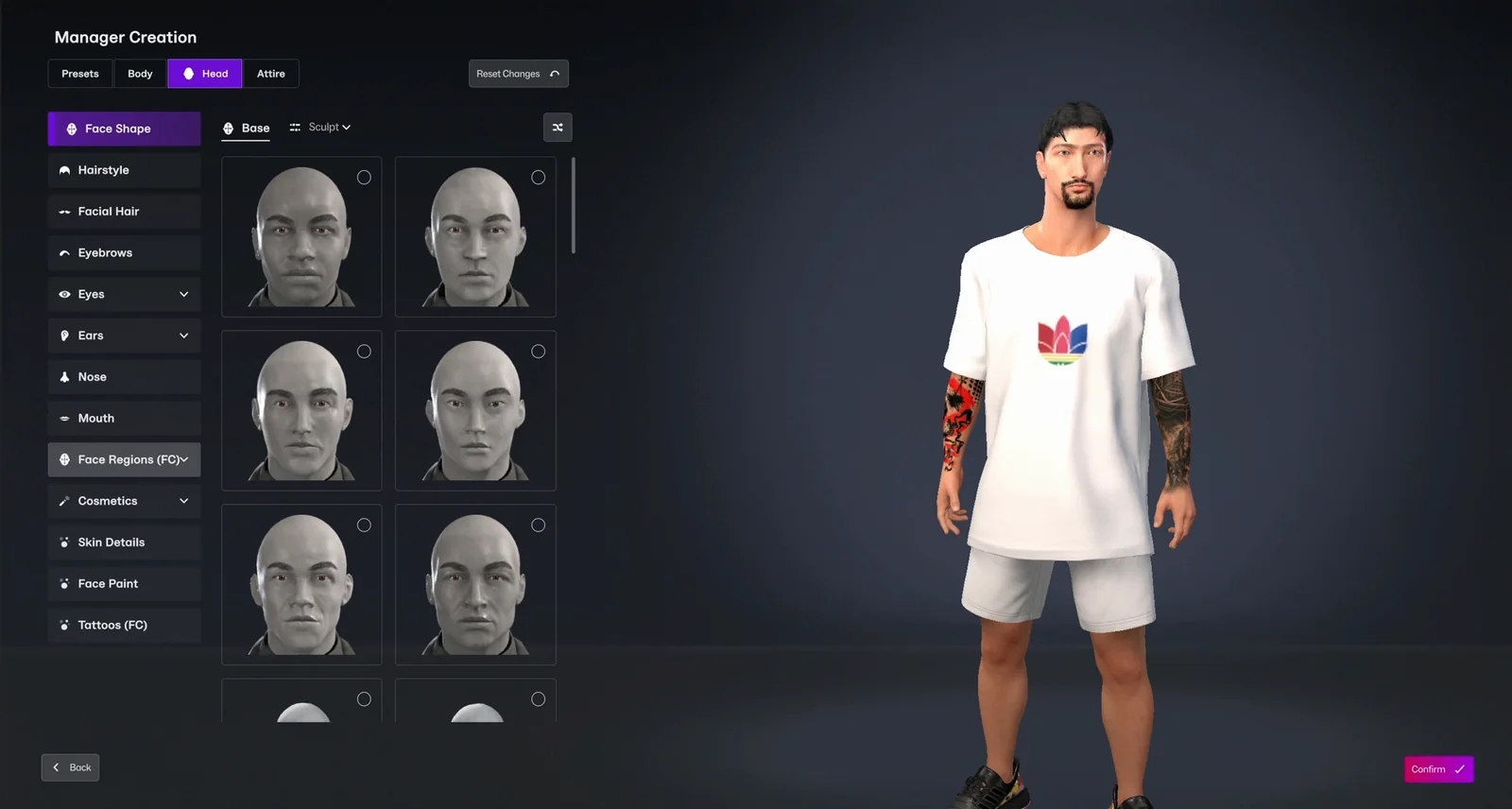
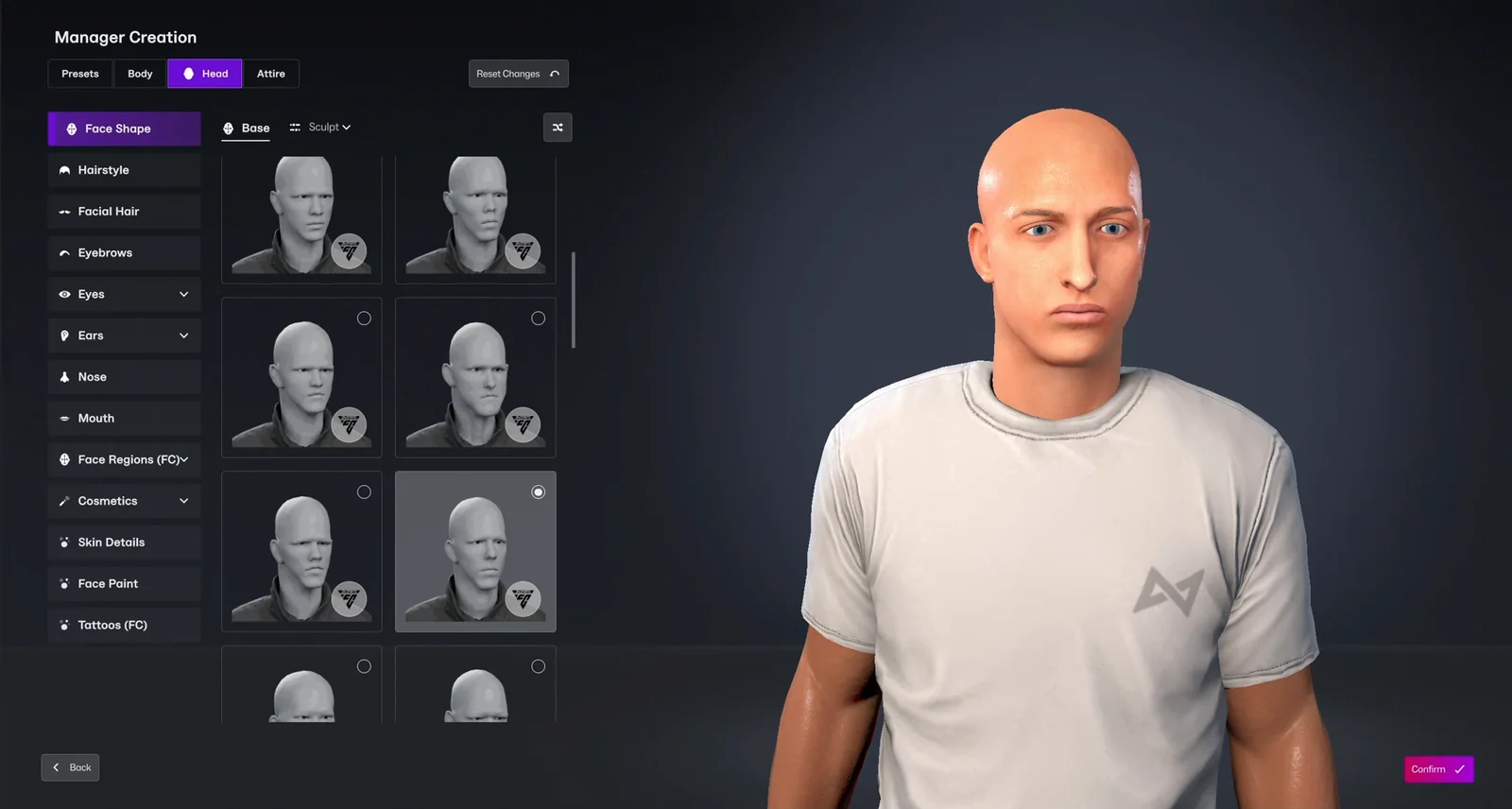
An FC face for your manager.
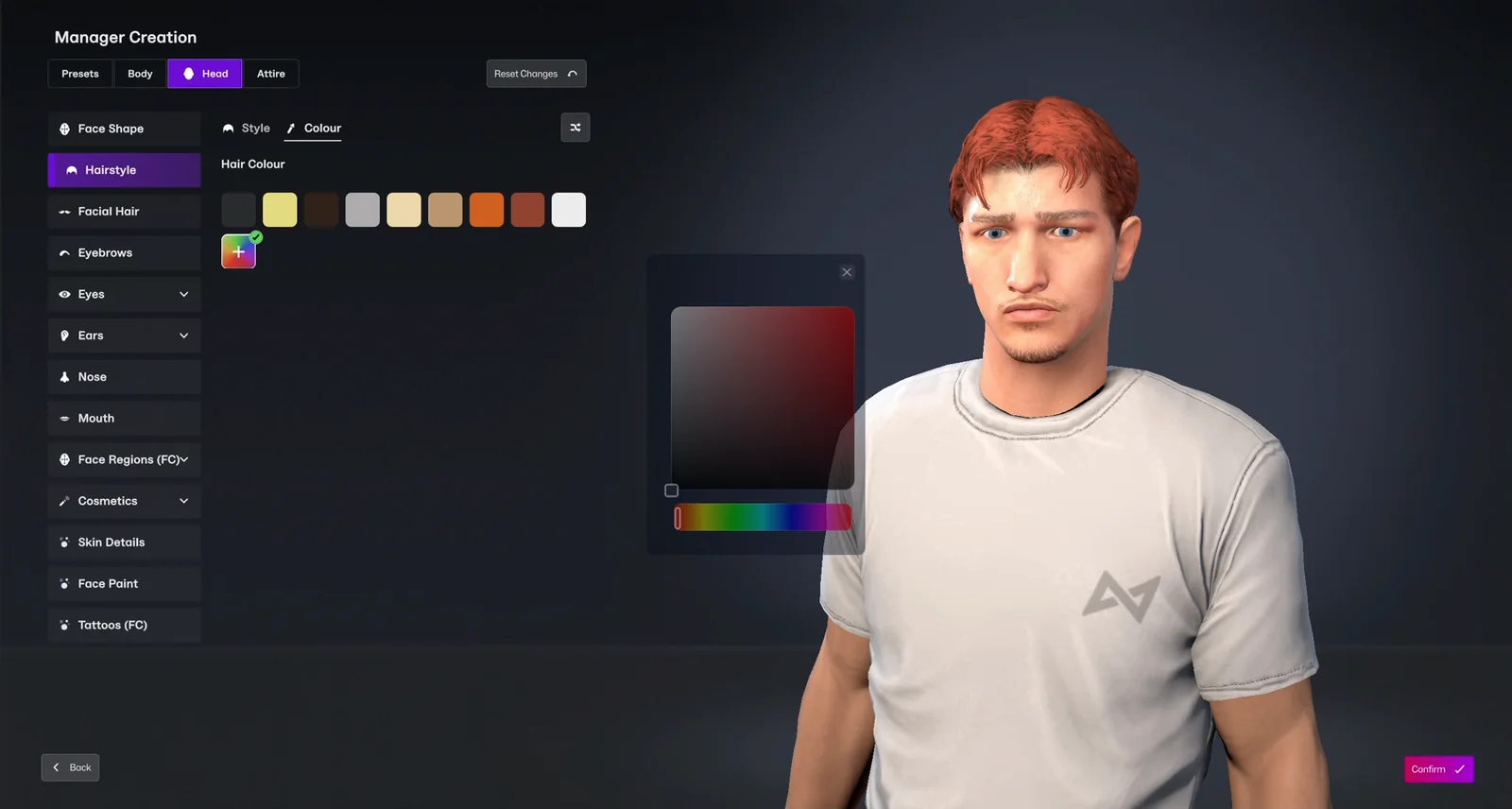
Open Head, then Face Shape, and pick from the FC faces. Every item from the plugin has the FC badge on its thumbnail.
- 517 FC face options: face shapes plus 11 face regions
- Nose, mouth, jaw, ears, cheeks, forehead, chin, brows, eyes, neck and the whole face
- Your FM skin tone is kept, so the new face matches your manager's body
Any haircut. Any colour.
Real FC hairstyles and beards, in the same Hairstyle and Facial Hair lists as the game's own.
- 30 hairstyles, from short cuts to braids
- Any hair colour from the colour picker
- 15 beards
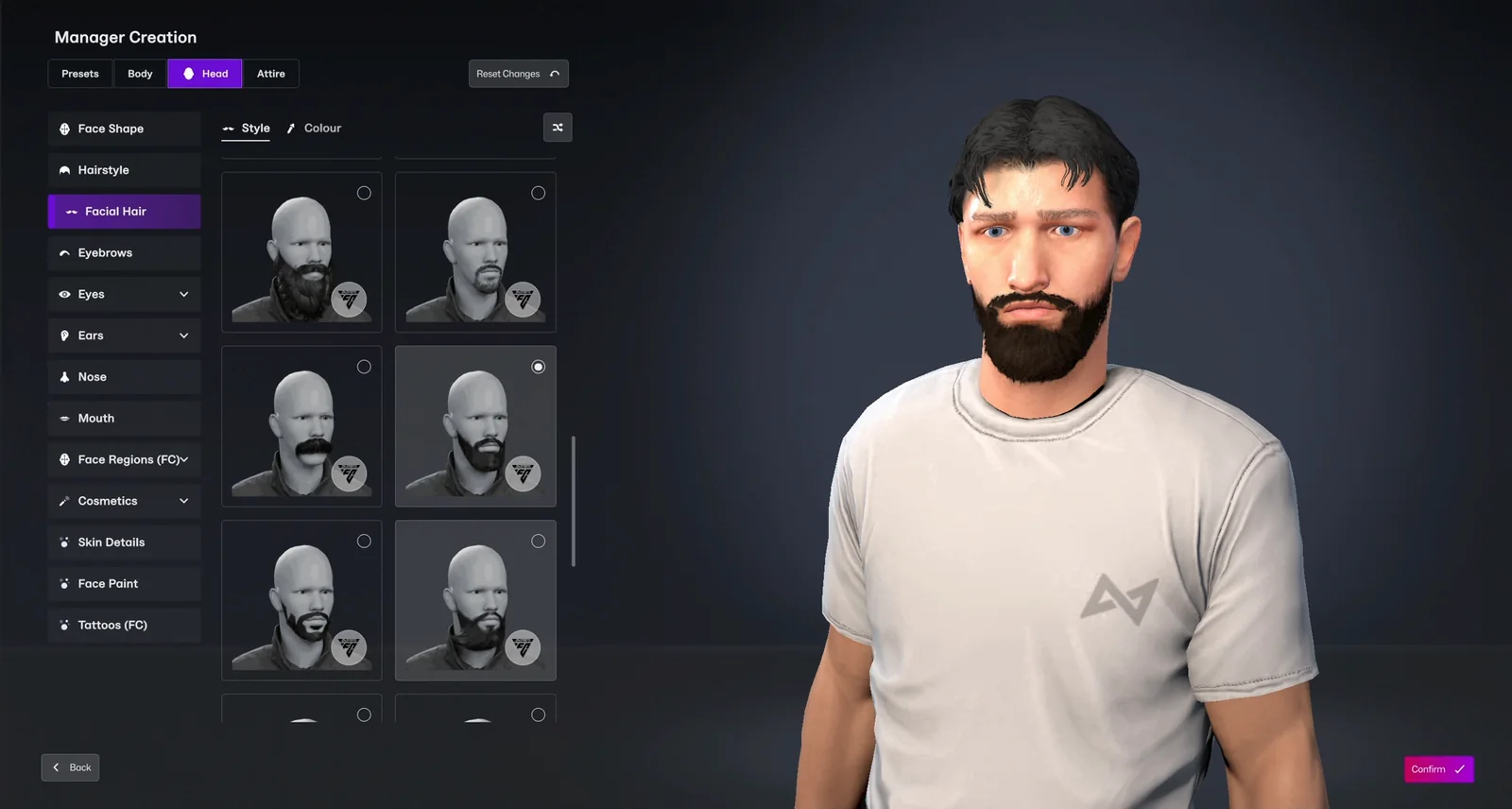
The details that make a face.
Finish the face with eyebrows, eyes, marks and a little makeup.
- 42 eyebrows and the FC eyes
- 63 skin details and 78 marks: freckles, scars and moles
- Makeup and lip colours
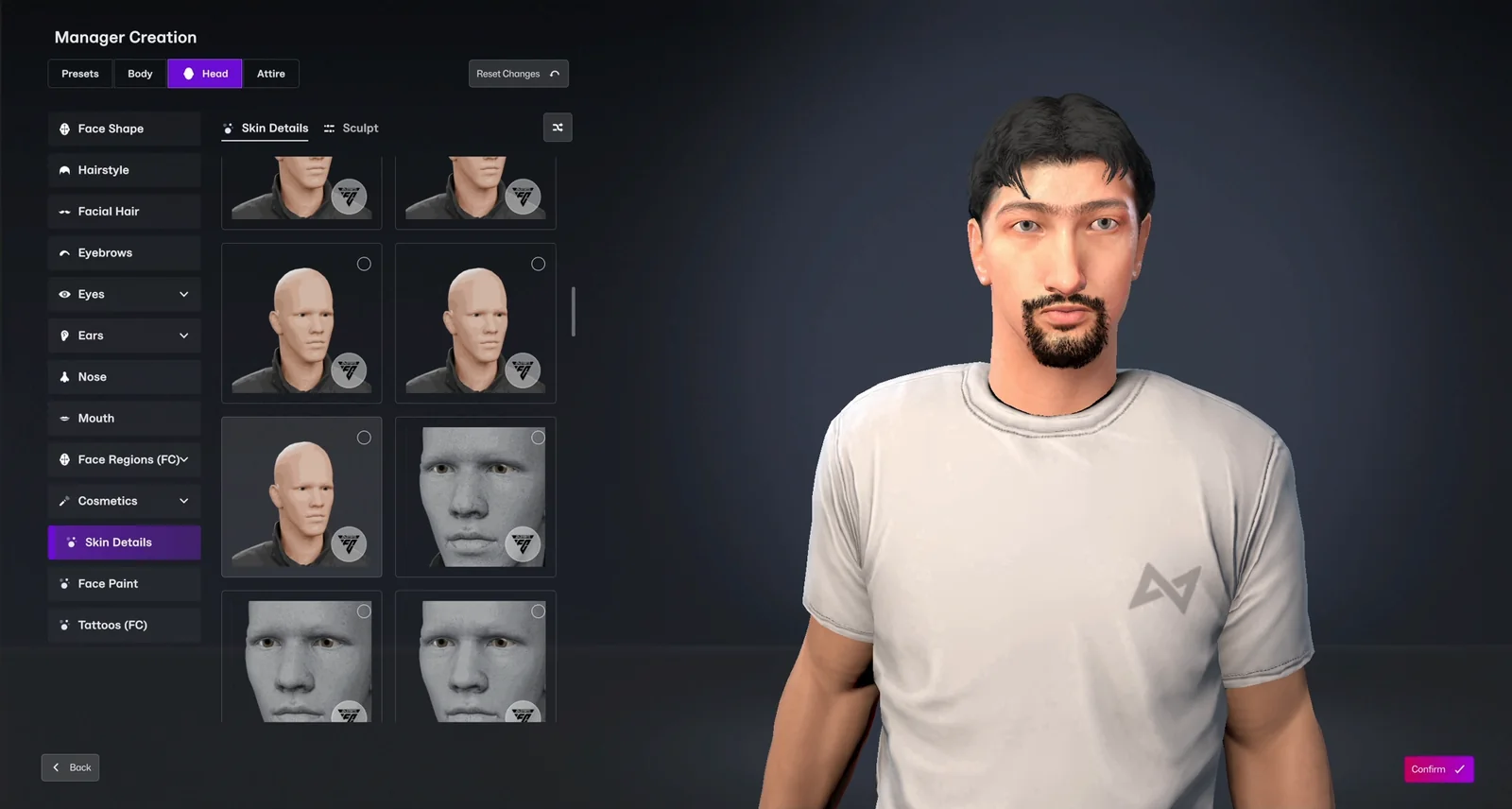
Dress for the touchline.
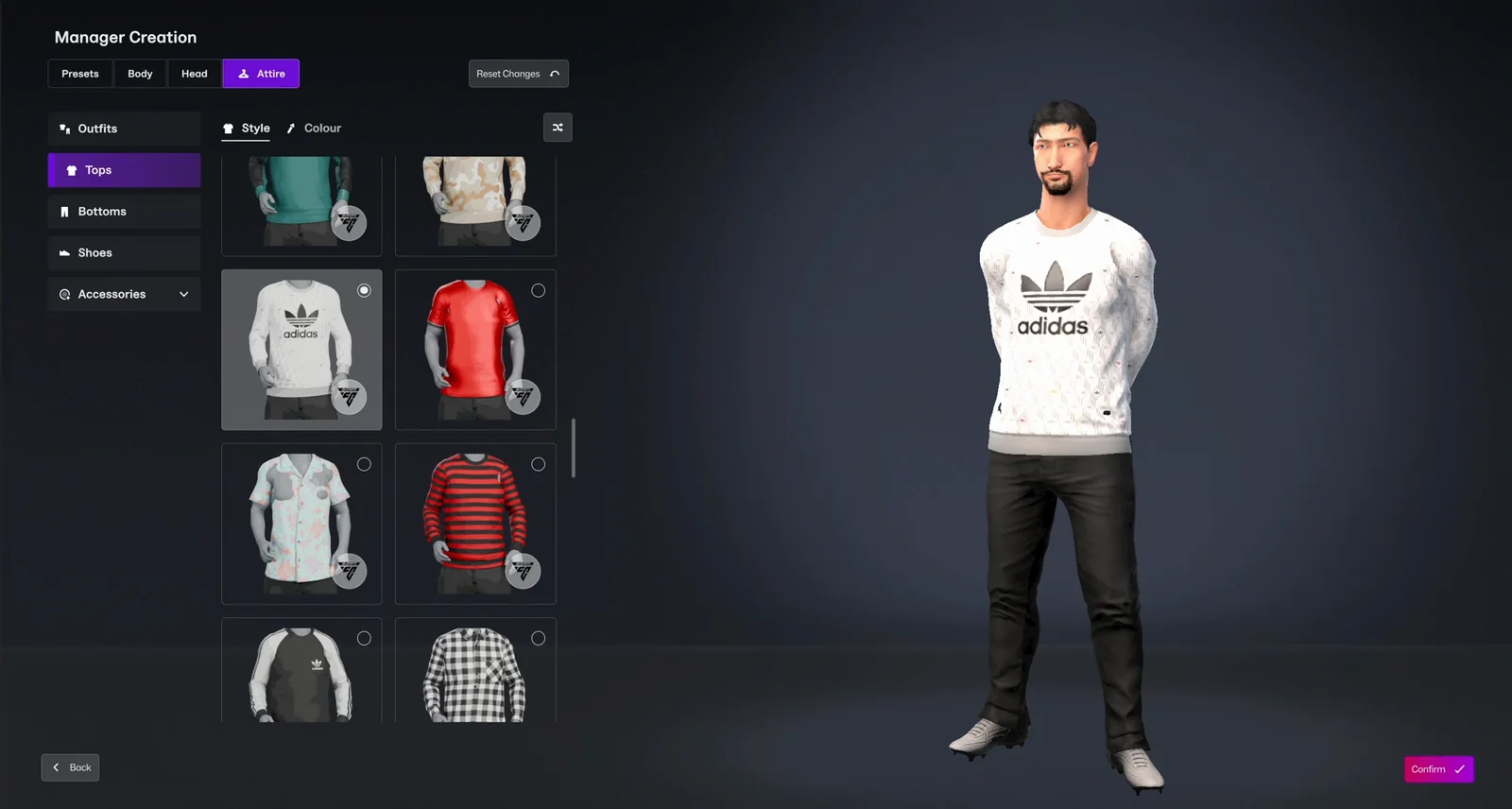
Open Attire and pick a top, the trousers and the shoes. Suit for the final, tracksuit for training.
- 44 tops: suits, jackets, shirts, polos, tank tops and sweaters
- 31 bottoms: suit trousers, jeans, joggers and shorts
- 28 shoes: dress shoes, boots, trainers, football boots and sandals
Hats, glasses and more.
47 accessories to finish the look.
- 9 hats: caps, beanies and fedoras, with a short haircut underneath so nothing gets squashed
- 11 glasses with real see-through lenses
- Watches, wristbands, gloves and masks
Ink, if you want it.
Pick from the Tattoos (FC) list in the Head tab.
- 12 tattoos on the arms, legs and face
- Shown on your manager's own skin tone
Your manager. Nobody else's.
The FC items sit next to the game's own in the same lists, and only your manager uses them.
- The FC badge on every thumbnail tells them apart from the game's items
- Mix them freely with the game's own clothes
- The other managers in your save stay as they are
Four managers, one plugin.
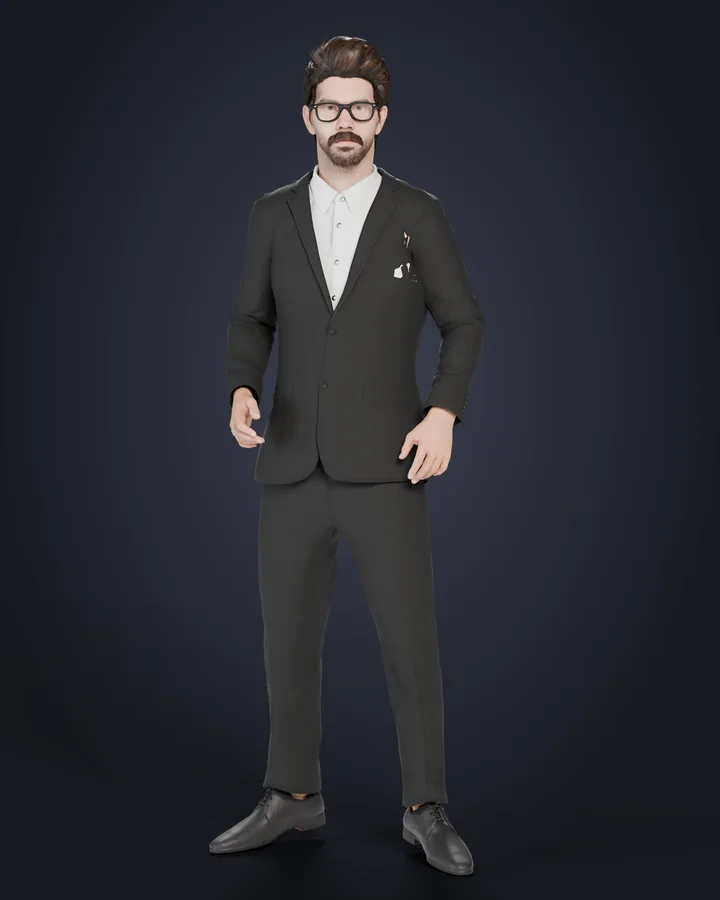
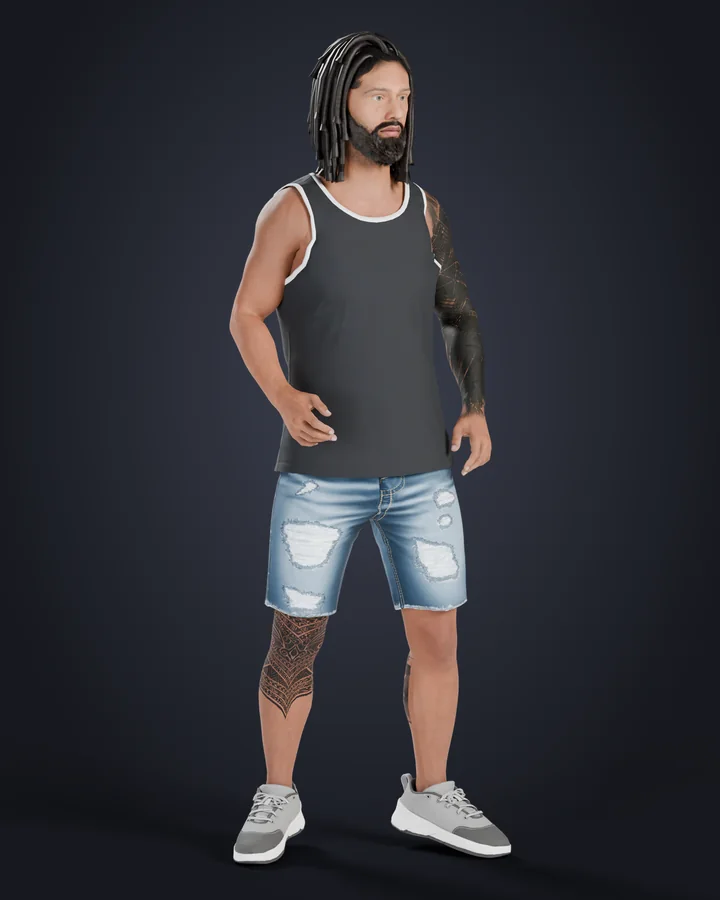
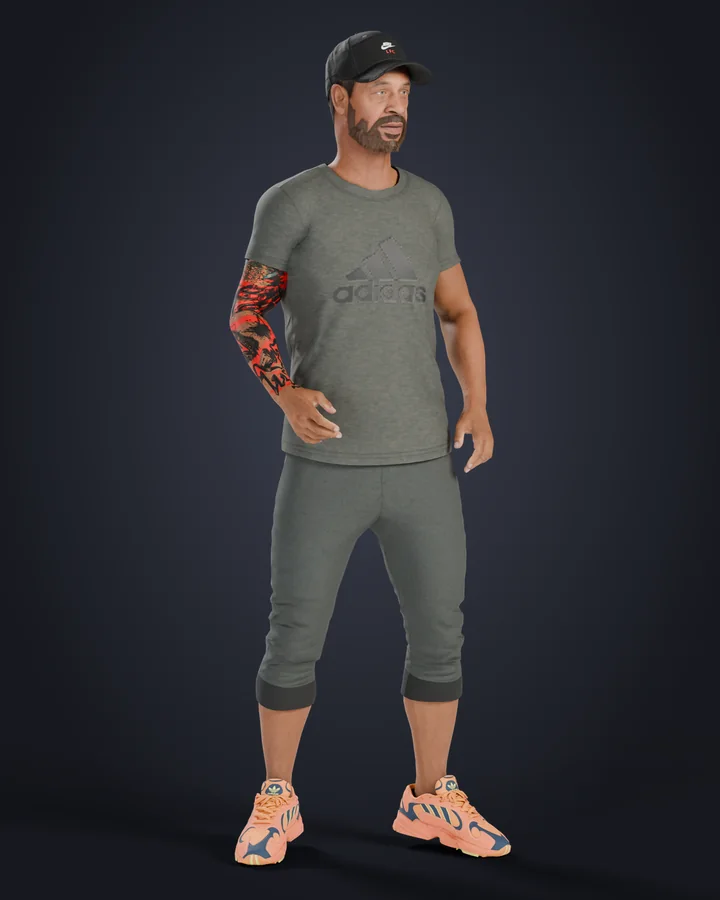
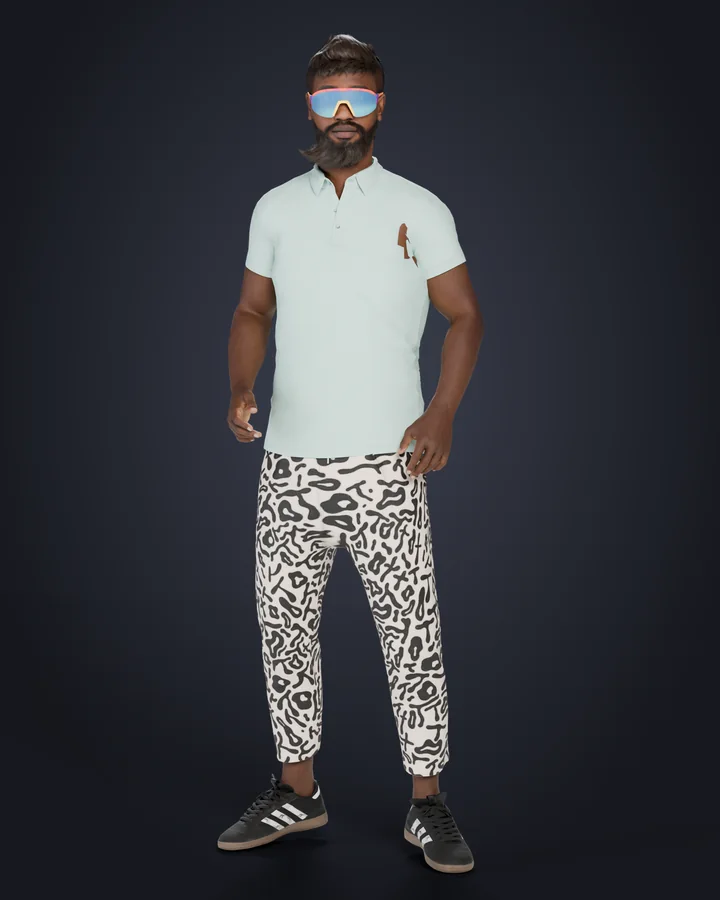
Install in 3 steps
Install BepInEx 6
The plugin runs on BepInEx 6 for Unity IL2CPP (x64), build be.791 or newer. Unzip it into the Football Manager 27 folder and open the game once. Step-by-step guide with video.
Copy the plugin
Close FM, then copy the FMManagerSuite folder from the zip into BepInEx\plugins. You should end up with BepInEx\plugins\FMManagerSuite\FMManagerSuite.dll.
Open Manager Creation
Start a new career or open Edit Manager, go to Body, Head or Attire and pick the items with the FC badge. The first time, give it a few seconds to load the items.
Changelog
v0.1First early access release
- NEW517 FC face options: face shapes and 11 face regions
- NEW30 hairstyles in any colour, 15 beards, 42 eyebrows and the FC eyes
- NEW63 skin details, 78 marks, makeup and lip colours
- NEW44 tops, 31 bottoms and 28 shoes
- NEW9 hats, 11 glasses, watches, wristbands, gloves and masks
- NEW12 tattoos on the arms, legs and face
Good to know.
How do I get FM Manager Suite?
Version 0.1 is in early access for supporters on any paid tier on Patreon: the zip is attached to the release post. 7 days after the Patreon post, it becomes free for everyone. The download page has every step.
Which game does it run on?
Football Manager 27 on Windows.
Do I need other plugins?
No. You only need BepInEx 6 for Unity IL2CPP (x64), build be.791 or newer.
Does it change the other managers in my save?
No. Only your manager uses the FM Manager Suite items. The other managers in your save stay as they are.
Does it update itself?
No. This version has no automatic updates: a new version comes as a new download, announced on Patreon.
Something broke. How do I report it?
Comment on the Patreon post with what you did and what happened, and attach Football Manager 27\BepInEx\LogOutput.log. Screenshots help a lot.