 Converter
 v1.4.1
Kit Converter All
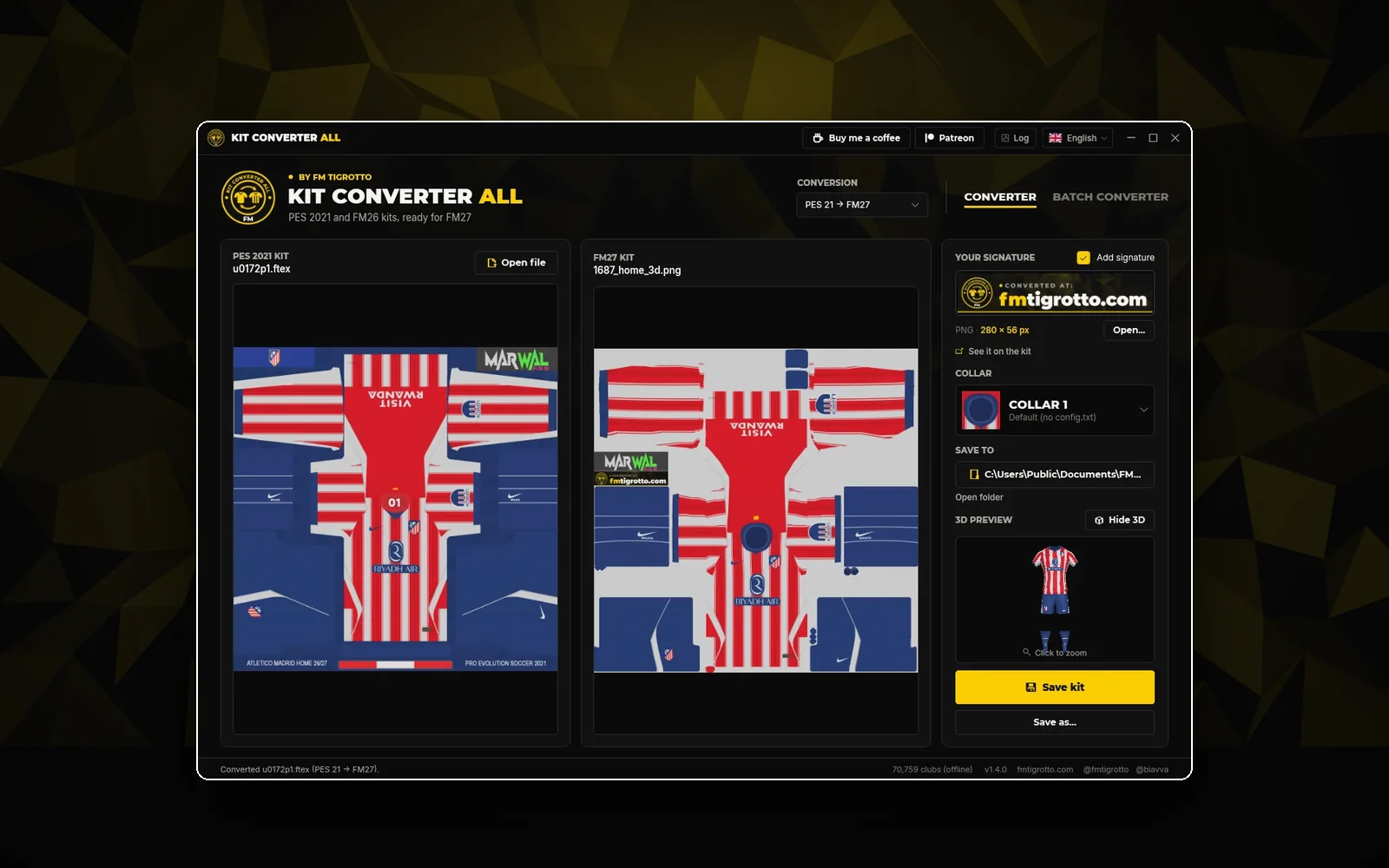
PES 2021 and FM26 kits, re-mapped to the FM27 3D template. One kit or a whole folder, with the club and the collar found for you.
PES 2021 → FM27FM26 → FM27Whole folders
Free downloadOpen
Drop your kit here or click to open a file.
Drop .ftex, .dds or .png · Ctrl+V to pasteThe converted kit shows up here.
Your kits show up here as they convert.
Six conversions, the same as in the Windows app. Pick one and the converter above switches to it.
From a PES 2021 kit texture to the FM27 3D kit template. Choose the collar and add your signature.
In: .ftex, .dds or .png · Out: FM27 3D kit (.png)The same for the FM26 3D kit template, with the collar and signature options too.
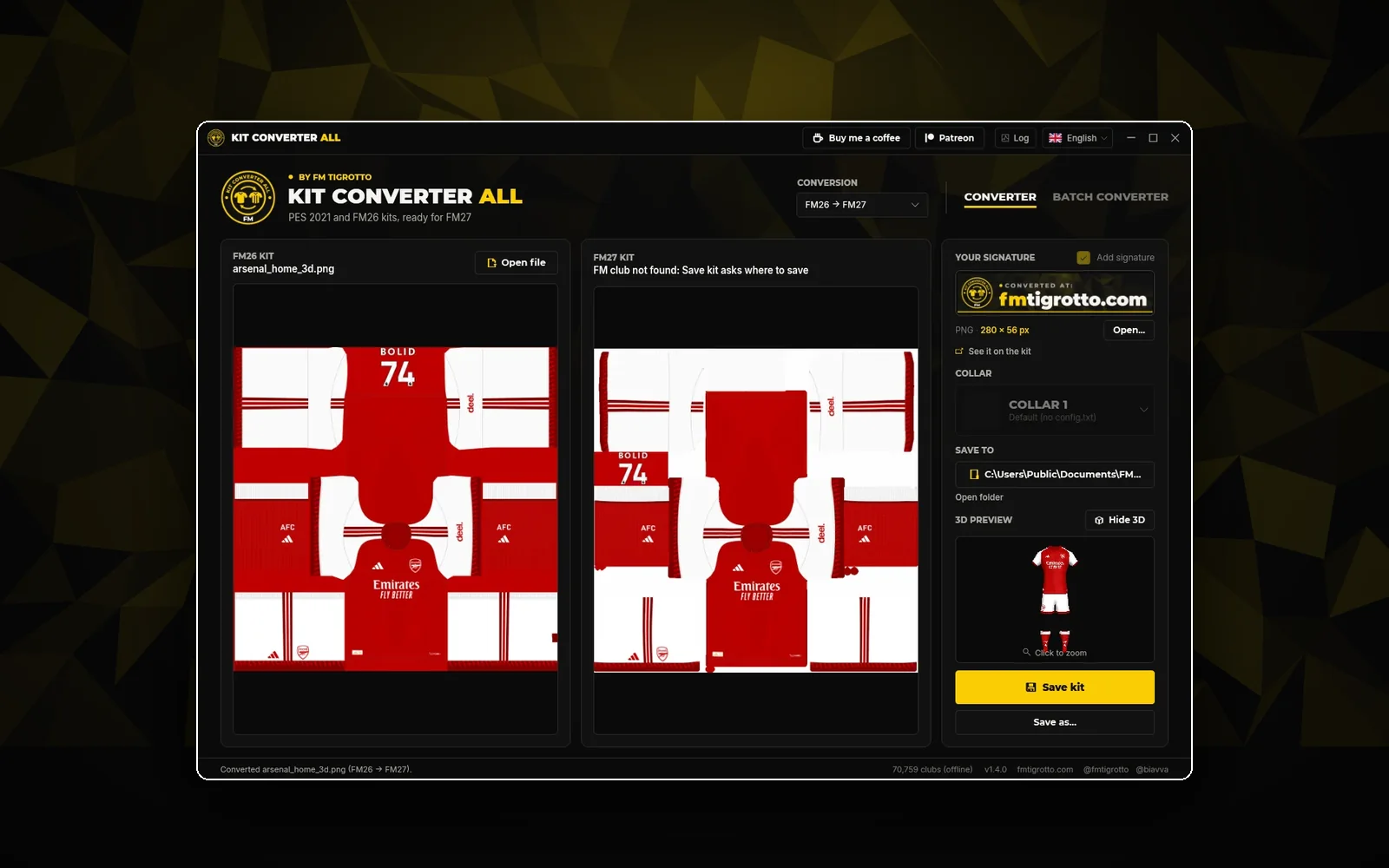
In: .ftex, .dds or .png · Out: FM26 3D kit (.png)FM27 has a new kit template: shorter socks, narrower shorts and a new collar. Move your FM26 kits over so they fit.
In: FM26 3D kit (.png) · Out: FM27 3D kit (.png)Take an FM26 kit to PES 2021. The collar is rebuilt from the fabric around it, or kept as it came.
In: FM26 3D kit (.png) · Out: PES 2021 kit texture (.png)The same for FM27 kits, with the same collar options.
In: FM27 3D kit (.png) · Out: PES 2021 kit texture (.png)Still playing FM24? Convert FM26 kits to its 3D kit template.
In: FM26 3D kit (.png) · Out: FM24 3D kit (.png)From PES 2021, FM26 or FM27 to the game you play.
Drag the file in, choose it or paste it with Ctrl+V. For many kits, switch to Batch.
Compare it side by side and on the 3D player, then download the PNG, or a .zip for the whole batch.
PES 2021 kits can be .ftex (straight from the kit folder), .dds or .png. FM26 and FM27 kits are the square 3D kit .png from your graphics folder. Every conversion saves a .png.
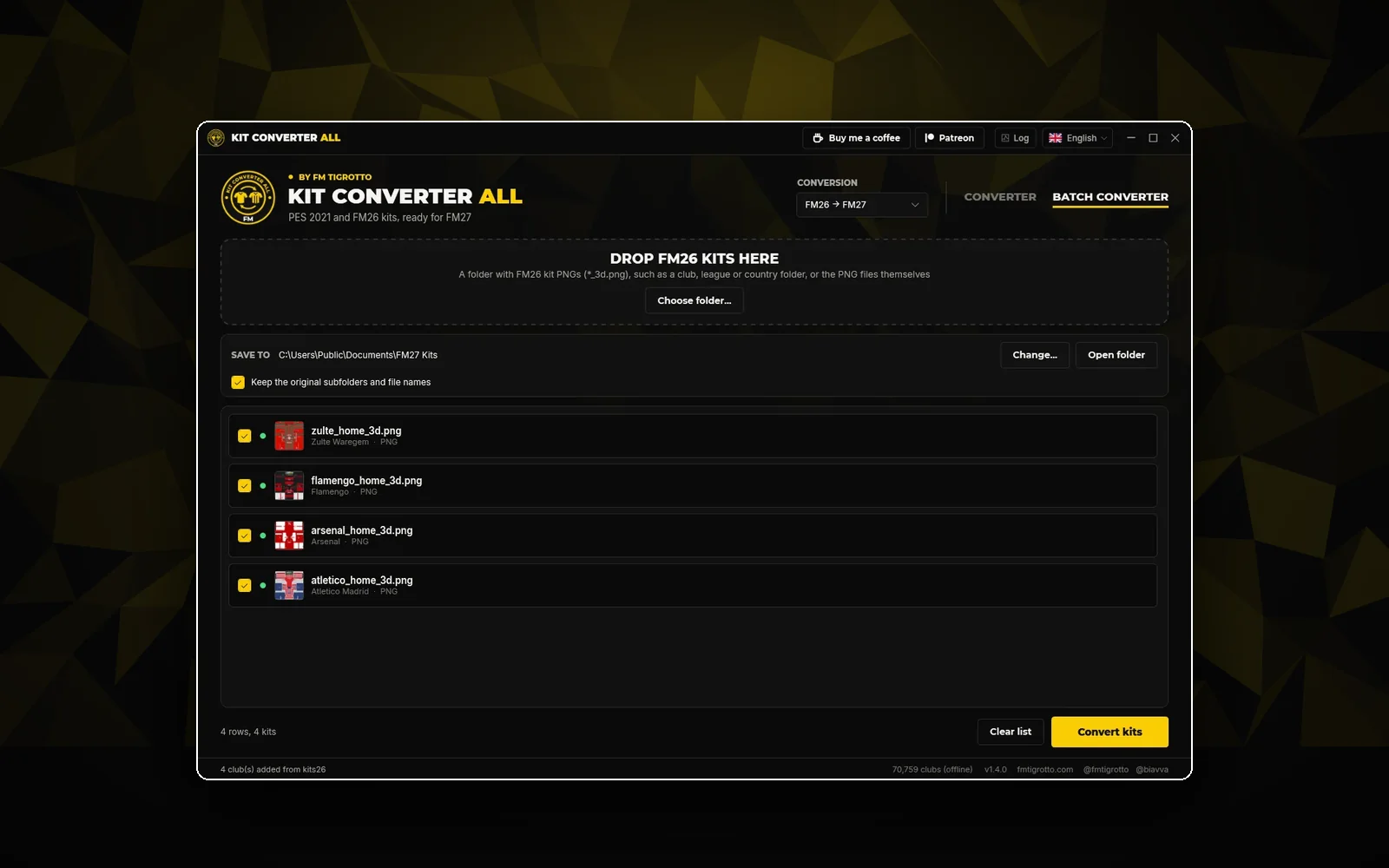
In Batch, choose many files or a whole folder. Each kit is converted on its own and you download them all in one .zip. Zip files are not opened, so unzip your kit pack first.
Your kit files stay on your device: the conversion runs in your browser. The first time you use a conversion, the browser downloads its map between the two kit templates and keeps it for next time.
| Online | Windows app | |
|---|---|---|
| Install | Nothing | About 95 MB |
| Works on | Any computer with a browser | Windows 10 and 11 |
| Conversions | All six | All six |
| Batch | Files or a folder, .zip download | Whole packs, keeps the subfolders |
| Finds the FM club | No | Yes |
| Saves to the game folder | No | Yes |
Give the PNG the file name Football Manager expects, put it in the kits folder inside your graphics folder and reload the skin. The graphics folder guide shows where everything goes.
Kit still not showing? Fix kits not showing in Football Manager. Want to check it first? Preview your kit in the 3D Kit Viewer. Or skip the work and download ready-made FM26 and FM27 kits.
Choose PES 2021 → FM27 or PES 2021 → FM26 above, drop the kit's .ftex, .dds or .png and download the result. Pick the collar in the panel; if you add the kit folder in Batch, it is read from the config.txt.
Yes. FM27 changed the 3D kit template, so FM26 kits look wrong as they are. Choose FM26 → FM27, add one kit or many and download them.
Yes, with FM26 → PES 2021 or FM27 → PES 2021. The collar is rebuilt by default; turn that off to keep it as it came.
Yes, choose FM26 → FM24. There is no FM24 3D player here, so check the kit in the game.
Yes. In Batch, choose several files or a folder and click Download all (.zip). The converter does not open .zip files, so unzip your pack first.
No. Your kit files stay on your device: they are read and converted in your browser.
Kits with their own collar or an unusual layout can need a touch-up. Try another collar, check the result on the 3D player and fix small spots in your image editor.
Converterv1.4.1PES 2021 and FM26 kits, re-mapped to the FM27 3D template. One kit or a whole folder, with the club and the collar found for you.
 Online tool
 Online
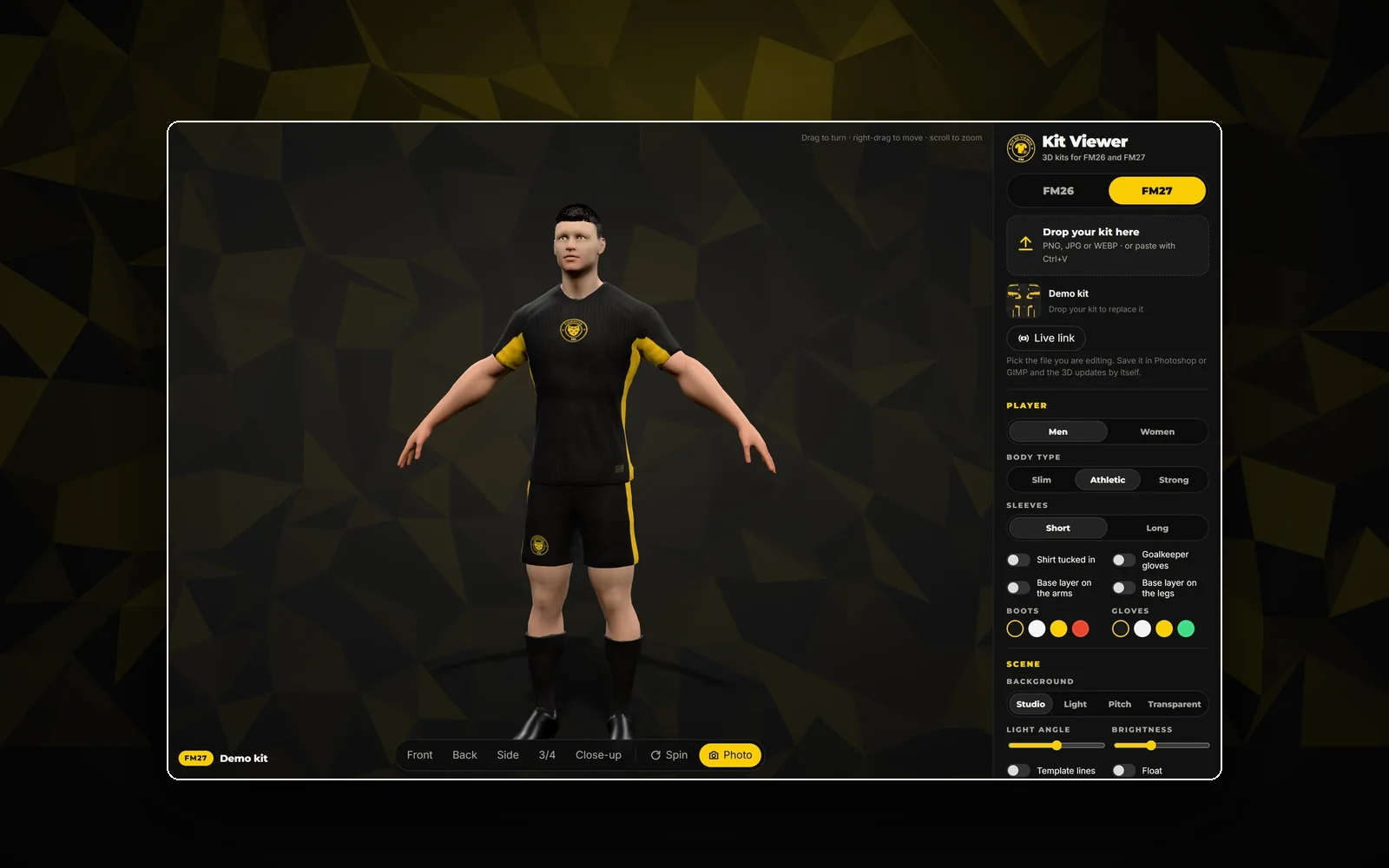
See your kit on the FM26 or FM27 3D player, right in your browser. Link the file you're editing and the 3D updates on every save.
 Desktop app
 v1.5.1
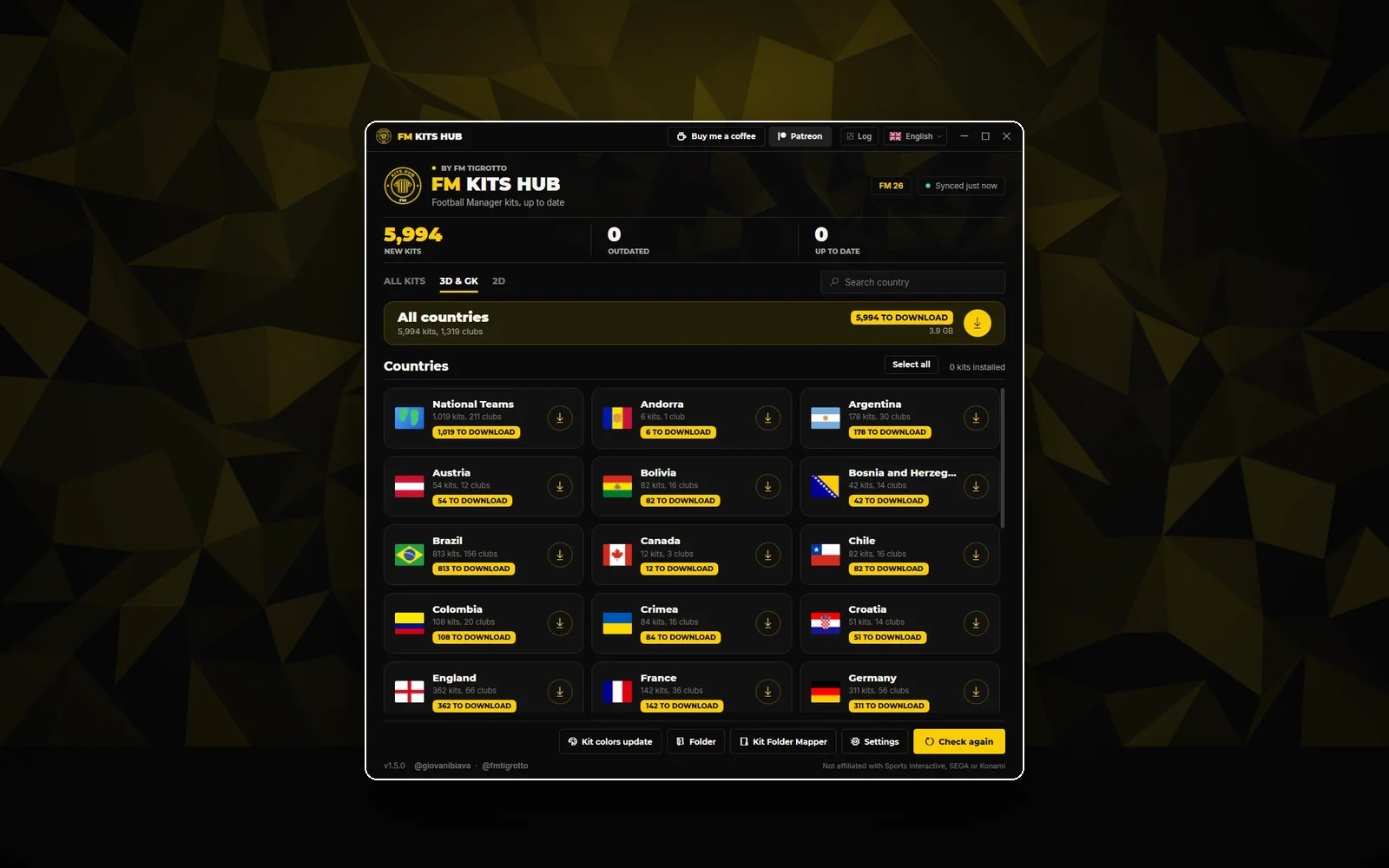
The kit catalogue on your desktop: 2026/27 kits from 28 countries, installed and kept up to date in one click.